
Documentation Index
Fetch the complete documentation index at: https://docs.cloud.vessl.ai/llms.txt
Use this file to discover all available pages before exploring further.
Apr 30, 2026
Run vesslctl inside workspaces, manage SSH keys and ports from the CLI, tag batch jobs, and more
April 30, 2026 release
This release lets you runvesslctl directly inside running workspaces, manage SSH keys and custom ports without leaving the terminal, and tag batch jobs with custom labels. We also shipped a stack of reliability fixes.
Key updates
- vesslctl inside running workspaces: Run any
vesslctlcommand from a JupyterLab terminal or SSH session in a running workspace, with no re-auth step. See Run vesslctl inside a running workspace. - SSH keys and custom ports from the CLI:
vesslctl workspace createnow accepts--ssh-keyand--portflags, and a newvesslctl ssh-keycommand tree lets you list, add, and delete keys from the terminal. - Slug column in
workspace list:vesslctl workspace listshows the slug as the first column so you can copy it straight into other commands. - Tag jobs with custom labels: Add or remove tags inline from the Jobs list and job details, and filter the list by tag. See List batch jobs.
- Job metrics on the home dashboard: The summary card now reports active job counts and GPU usage alongside workspaces, with idle detection covering both workload types.
- Cleaner job lifecycle:
vesslctl job terminatenow stops the run while preserving its configuration, logs, and metrics for review. See Clean up jobs. - Smoother onboarding: The workspace creation page is now accessible without credits (submission is still gated), and the organization creation page has been redesigned for a clearer flow.
- Reliability fixes: Admin invitations to brand-new users no longer disappear, organization creation errors now surface in the UI, and Object storage uploads larger than 5 GiB no longer get corrupted.
Batch jobs
Submit batch training and inference jobs from the CLI, then monitor and manage them on VESSL Cloud. Jobs run a command to completion on the cluster and resource spec you choose, with logs, metrics, and termination reasons surfaced in the UI.
Key updates
- Submit via CLI: Submit a batch job in one line with
vesslctl job create. Monitor status and logs from the Jobs section in the console. - Image, command, and environment: Bring your own container image, specify the command to run, and pass environment variables (such as
WANDB_API_KEY) for experiment tracking. - Volume mounting: Mount object volumes and cluster volumes by slug to share datasets, checkpoints, and artifacts with your jobs.
- Lifecycle visibility: Track state transitions from queued through running to completed or terminated, and review termination reasons for failures.
- Tags: Attach tags to jobs to keep them organized and filterable.
vesslctl CLI documentation
We’ve published comprehensive documentation forvesslctl, the VESSL Cloud command-line tool. You can now manage workspaces, batch jobs, storage, and team settings entirely from your terminal.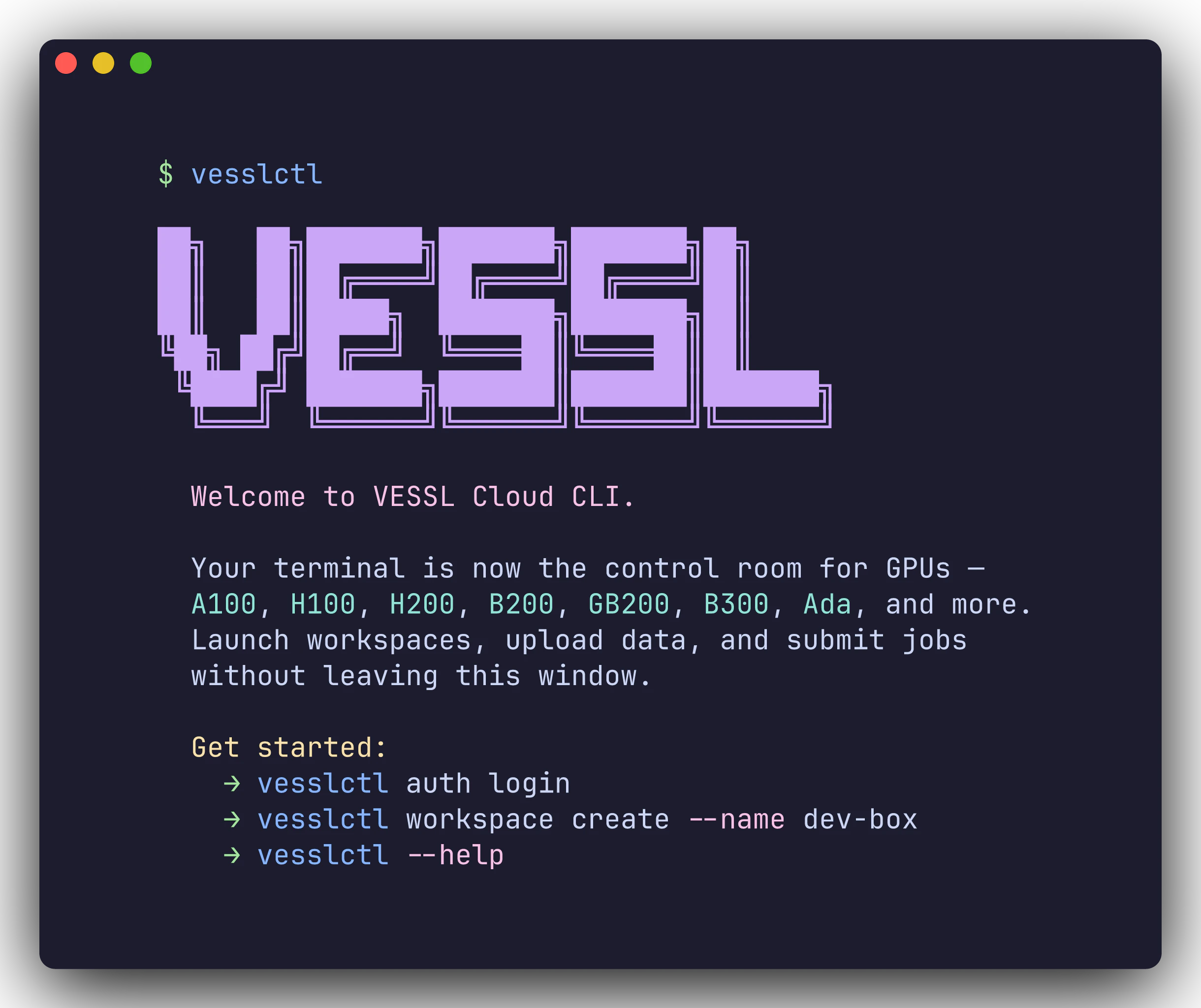
Key updates
- Installation guide: One-command install, browser-based OAuth login, and shell completion setup. See CLI overview.
- CLI quickstart: Three step-by-step scenarios covering workspace creation, dataset upload, and batch job submission. See CLI quickstart.
- Command reference: Detailed documentation for every command and flag, including
workspace,job,volume,storage,org,team,cluster,config, andauth. See Command reference. - Cheat sheet: A single-page quick reference for all commands. See Cheat sheet.
New resource spec selection
Choosing hardware for your workspace is now simpler. Instead of scrolling through a flat list of spec cards, you select your resource in three clear steps: GPU product, region, and GPU count.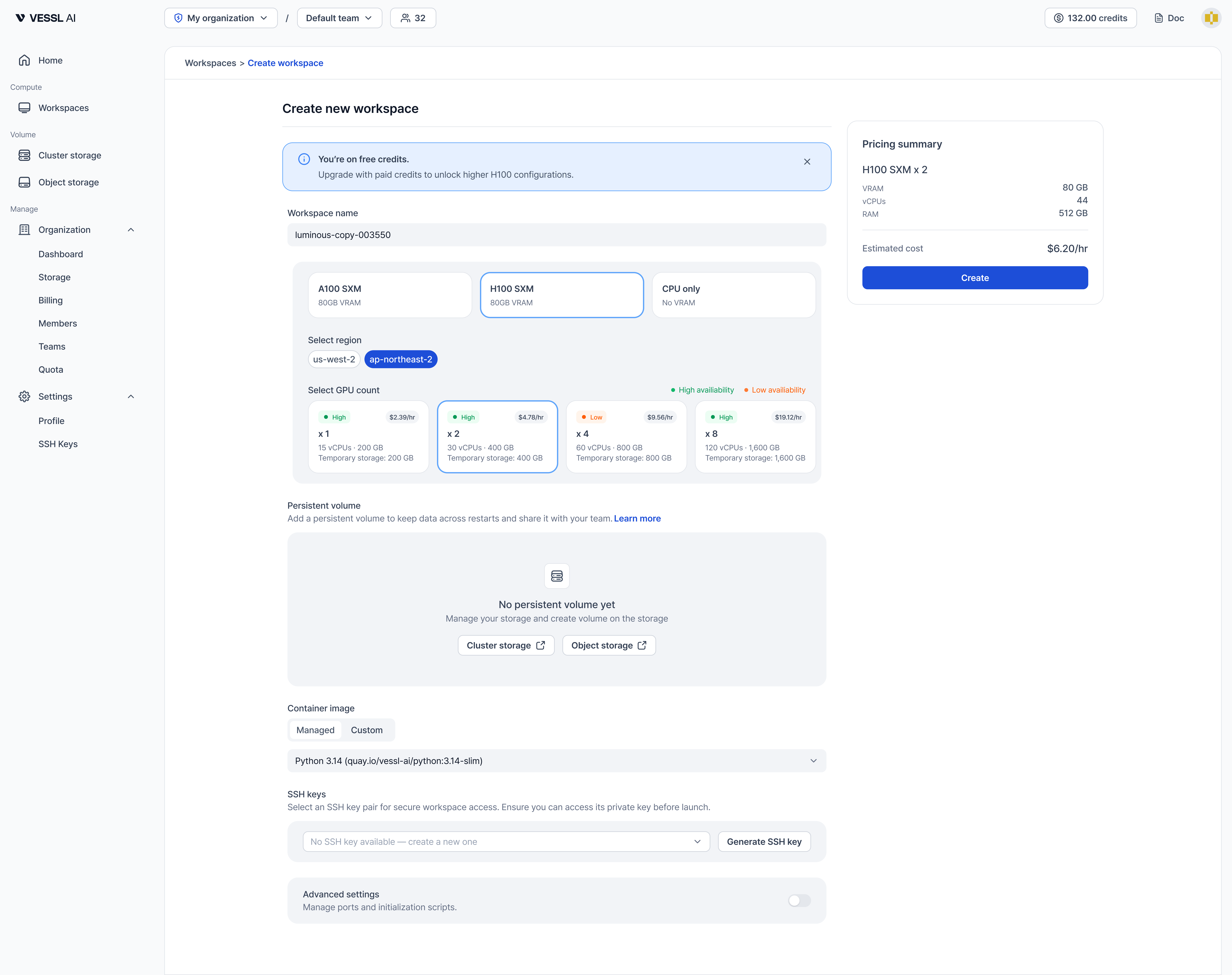
Key updates
- Step-by-step selection: Pick a GPU product (such as A100 SXM, H100 SXM, or CPU only), then choose a region, and finally select how many GPUs you need.
- Region-based selection: Resources are now organized by region instead of cluster name, making it easier to understand where your workspace will run.
- Availability at a glance: Each GPU count card shows availability (High or Low) along with hourly cost, vCPU, RAM, and Temporary storage details.
Launch confirmation modal
When creating a workspace, a confirmation modal now appears to help you understand how persistent storage affects your data.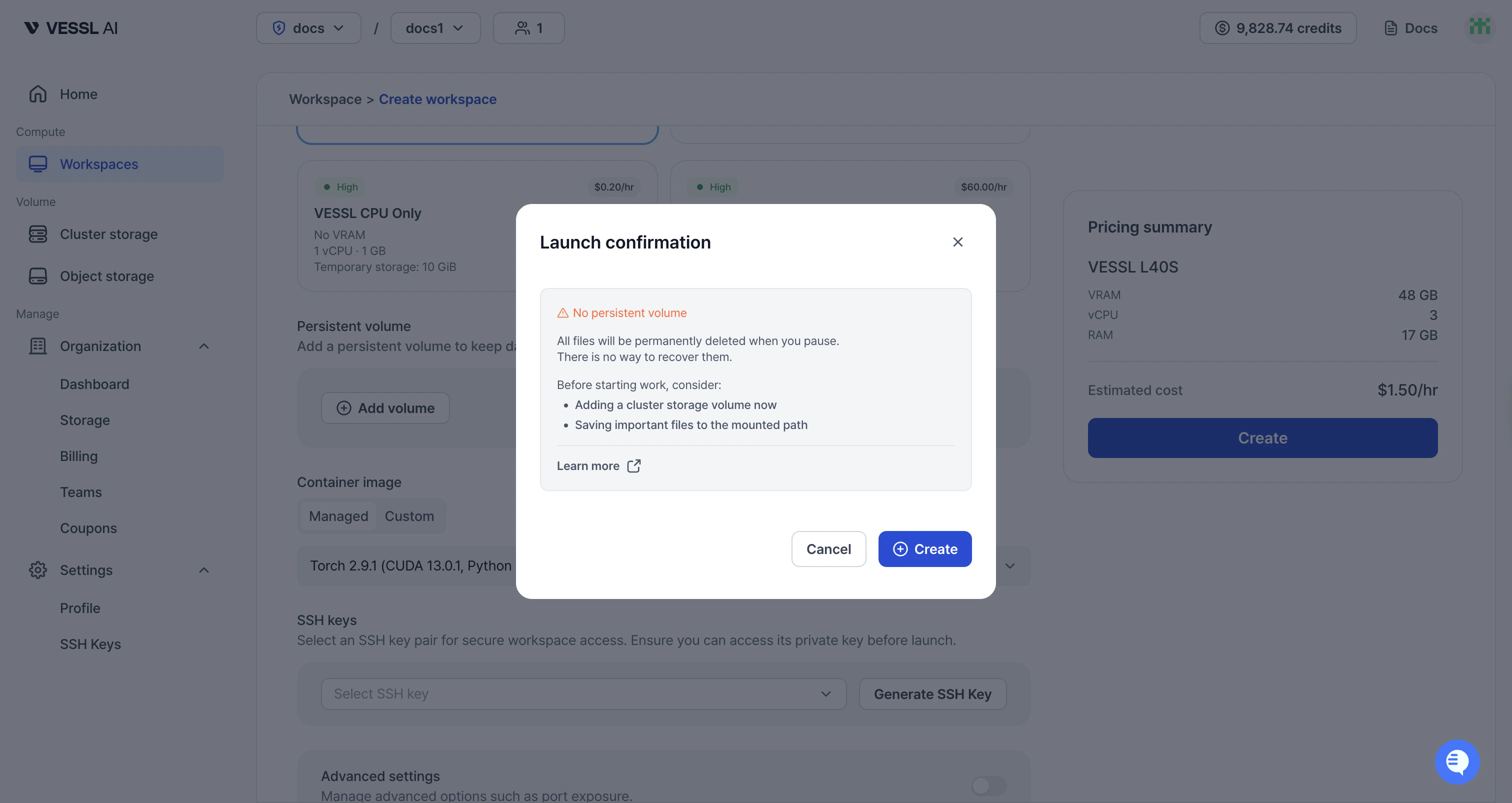
- No persistent volume: If no volume is attached, the modal warns that all files will be permanently deleted when you pause. It suggests adding a Cluster storage volume and saving important files to the mounted path.
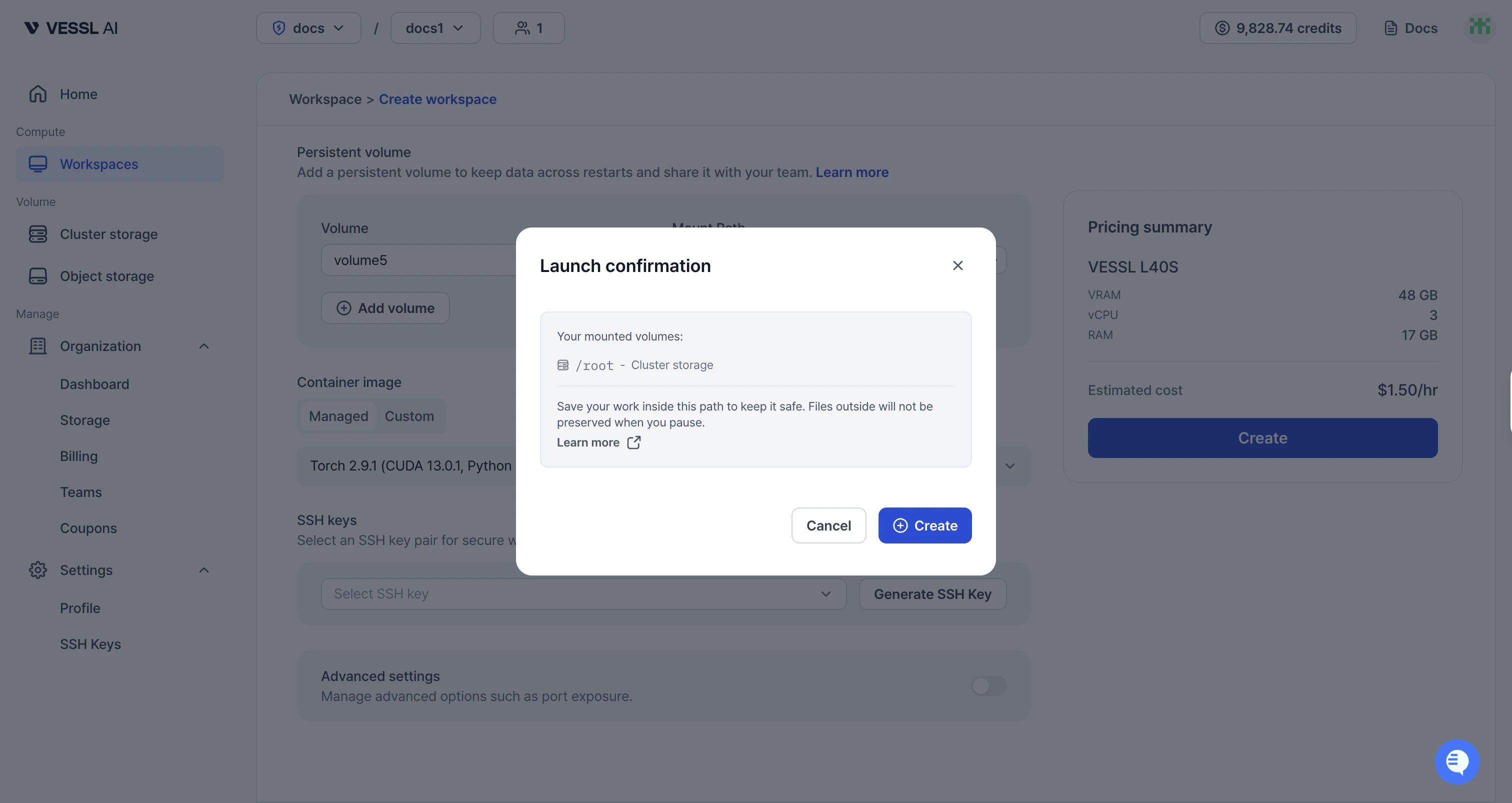
- With persistent volume: If a volume is mounted, the modal shows the mounted path and explains that files inside will be preserved on pause, while files outside will not.
Dashboard, GPU availability, and workspace metrics
VESSL Cloud now provides dedicated dashboards for individual users and organization admins, plus a new GPU availability indicator during workspace creation.
Key updates
- Home dashboard: View your active workloads, GPU utilization, and spend rate across all teams. Under-utilization alerts help you optimize resource usage. See Home dashboard.
- Organization dashboard: Monitor organization-wide GPU utilization, spend trends, team breakdown with drill-down, and idle workload detection. See Organization dashboard.
- GPU availability indicator: Each resource spec card now shows availability level (High, Low, or Checking) when creating a workspace, helping you anticipate wait times. See Create a workspace.
- Enhanced workspace metrics: Track VRAM usage and GPU temperature alongside existing metrics. New time range selector (1h–7d) and display settings for flexible monitoring. See Monitor metrics.
New storage system
We’ve restructured VESSL Cloud’s storage to give you faster, more reliable options.Key updates
- Workspace volume → Cluster storage: High-availability distributed storage (CephFS/NVMe) shared across workspaces in the same cluster. Data persists even after workspace termination.
- Shared volume → Object storage: Same S3-backed storage, now called Object storage. No functional changes.
- Data persists after terminate: Your code, virtualenvs, and data survive workspace termination.
- Shared within cluster: Multiple workspaces on the same cluster can mount the same volume (RWX).
- High-availability: Distributed storage protects against node failures.
- Pricing: Cluster storage at $0.20/GiB/month.
- Migration: Existing Workspace volume data can be migrated to Cluster storage. Contact support@vessl.ai for assistance.
Simpler SSH key downloads
Previously, generating an SSH key opened a file picker dialog, letting you choose where to save the key. This often led to forgetting the save location when connecting later. Now, SSH keys download directly to your~/Downloads folder, and the SSH connection guide shows the expected key path.Key updates
- Direct download to ~/Downloads: SSH keys now download automatically to your default download folder instead of opening a file picker.
- Key path hint in SSH connection guide: The SSH connection tab now shows “usually in
~/Downloads” so you know where to find your key.
Better navigation and team collaboration
We’ve unified the admin menu structure and added visibility into your team’s workspaces and members.Key updates
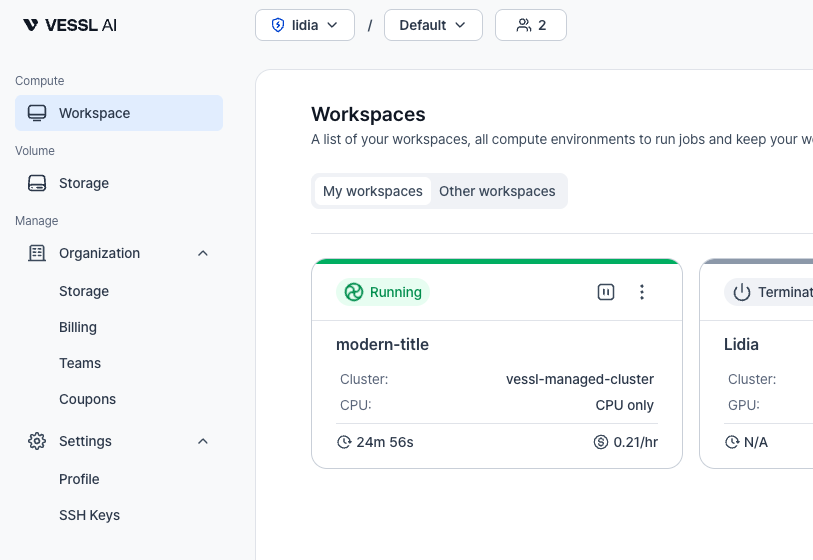
- Unified admin menu: The admin menu is now integrated into the main navigation, making it easier to find and access admin features.
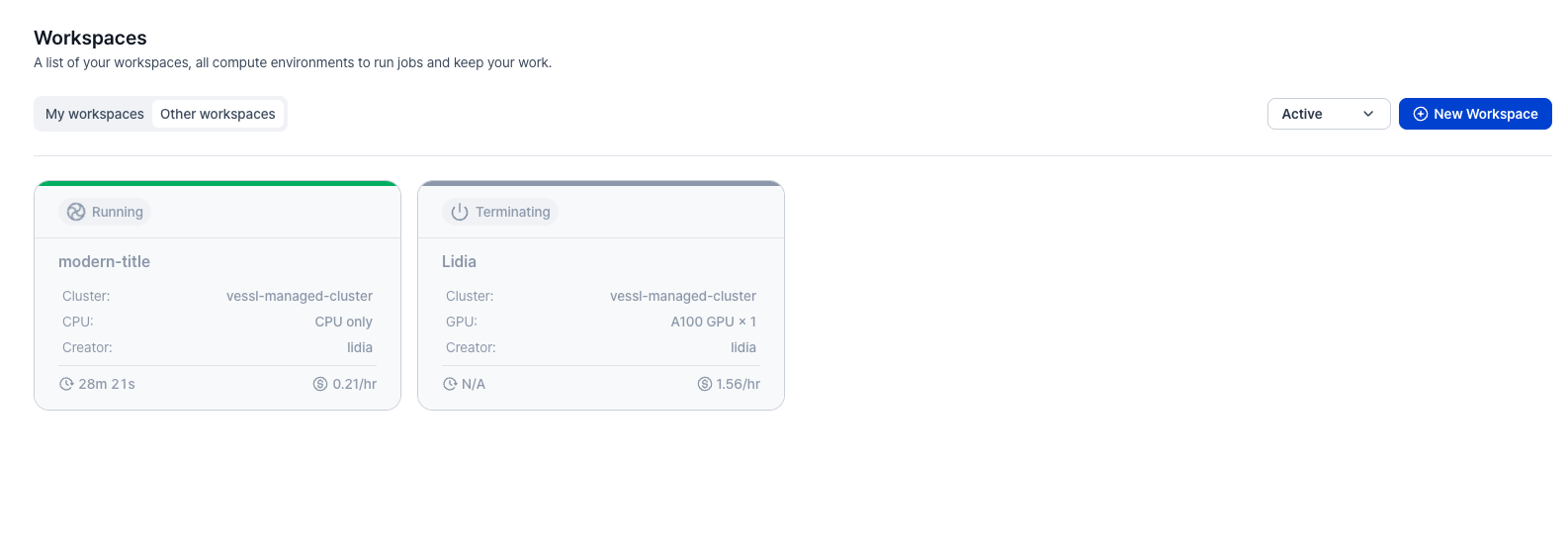
- View other team members’ workspaces: Previously, you could only view your own workspaces. Now you can see workspaces belonging to your team members and track which team member is working on which workspace.
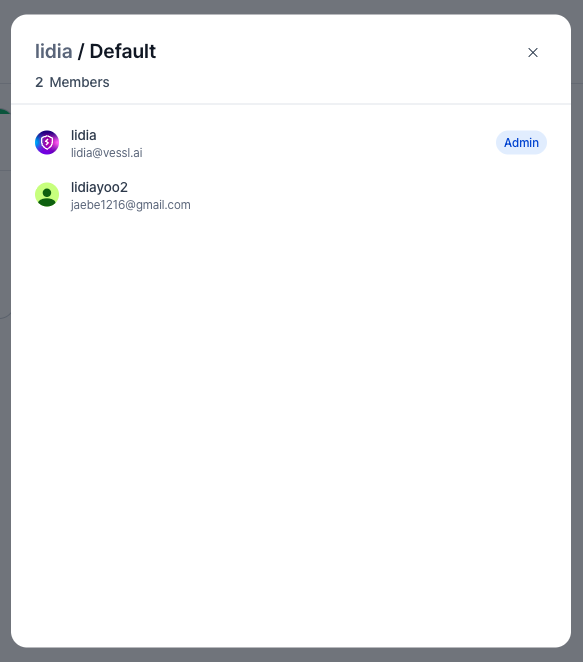
- Team member visibility in top bar: View who’s on your team directly from the top bar. See who you’re collaborating with at a glance.

Teams & Members role management
Members list now shows each member’s role, and admins can update roles between Admin and Member.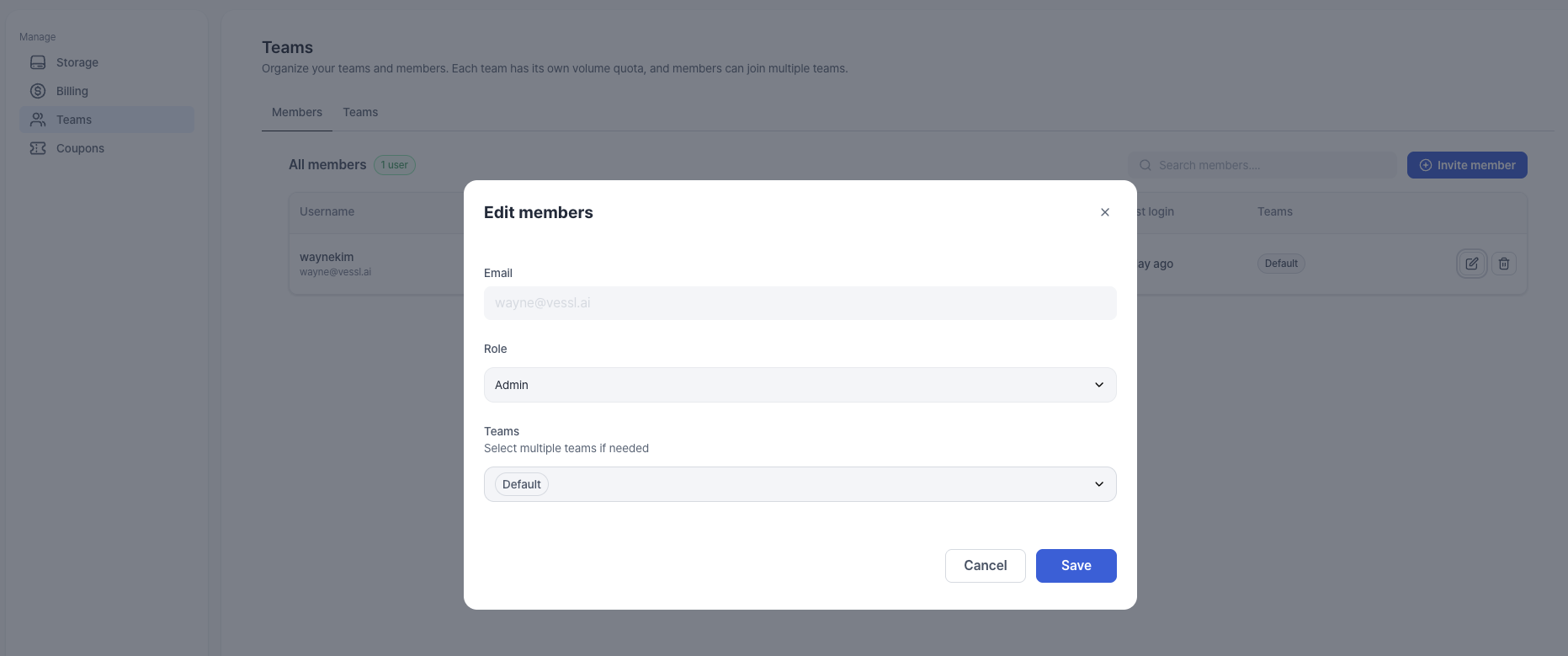
Key updates
- Role column on members list: View each member’s role (Admin/Member) directly in the list.
- Admins can edit roles: Admins can change a member’s role from the Edit action (Admin ↔ Member).
- Multiple admins supported: Assign multiple Admins when your team needs it.
Safer workspace creation when credits run out
We’ve tightened how workspace creation behaves when you have no credits, so you don’t end up with workspaces that start and immediately terminate.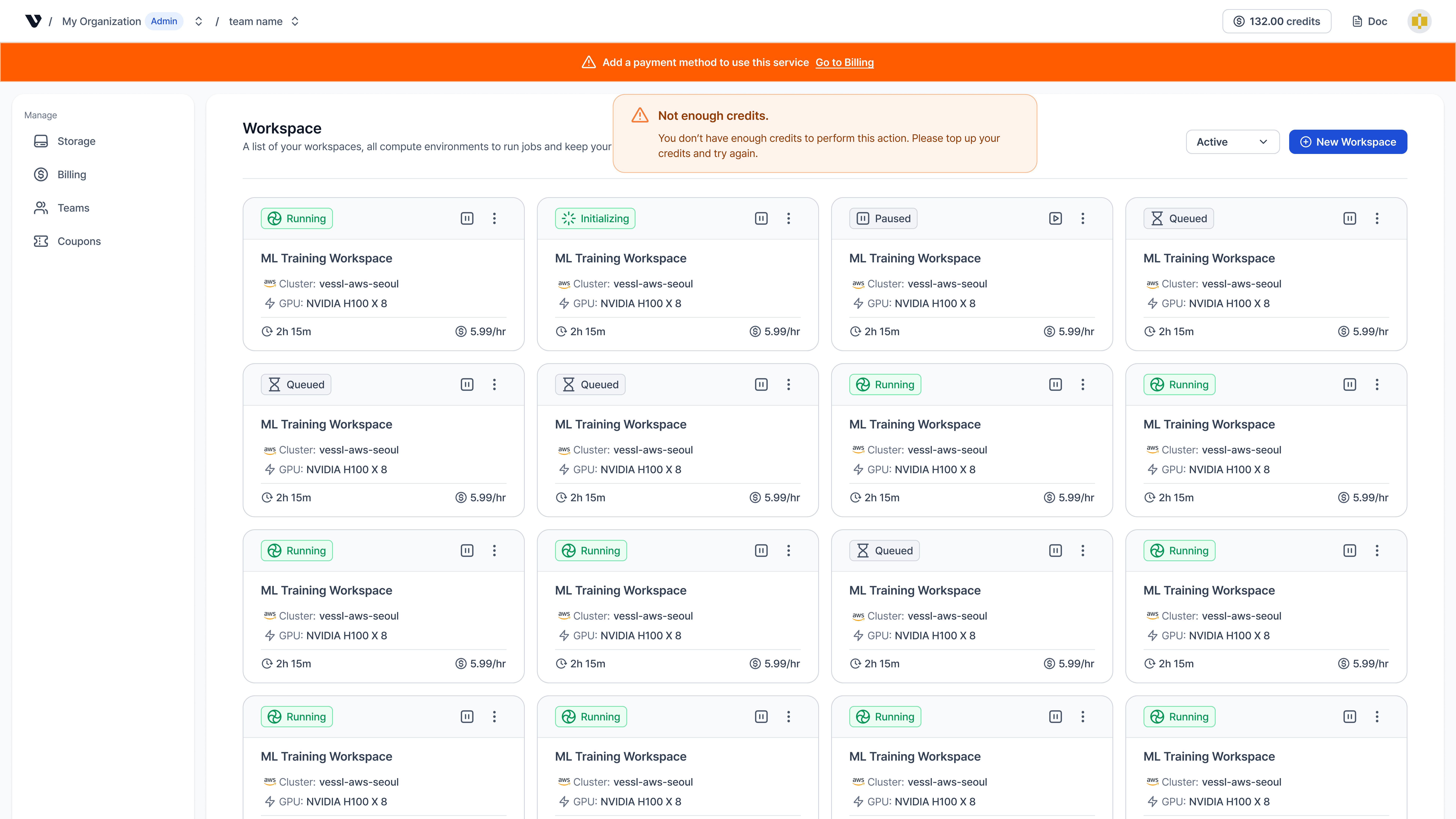
Key updates
- Credit validation for workspace creation: Previously, workspaces could start and then immediately terminate when you had no credits. Now, if you have no credits, workspace creation is blocked and a toast notification prompts you to purchase or add credits before starting.
- Payment method registration banner: Previously, there was no clear signal when you didn’t have a registered payment method. Now, if you have no payment method and no credits, a banner appears prompting you to register a payment method. Admins can register a payment method directly from the banner.
Better workspace history
These updates were previously listed in Coming Soon and are now available, along with a storage mount path update.Key updates
- Event feed:
- Event history: View a complete timeline of workspace events directly on the Details page. Track key lifecycle events and states, including Running, image pulling, and termination reasons such as Out of Memory Killed (OOMKilled), credit exhaustion, or Temporary storage exceeded.
- Terminated workspace view: Terminated workspaces are no longer auto-deleted after 24 hours. Use the View Terminated toggle to access their history and delete them manually when ready.
- Workspace volume mount path: Workspace volume mount path is fixed to
/root($HOME) and cannot be changed.
Updated GPU images
We’ve added refreshed CUDA and Torch images for broader Python coverage.Key updates
-
CUDA 13.0.1 images:
quay.io/vessl-ai/cuda:13.0.1-py3.10-slimquay.io/vessl-ai/cuda:13.0.1-py3.11-slimquay.io/vessl-ai/cuda:13.0.1-py3.12-slimquay.io/vessl-ai/cuda:13.0.1-py3.13-slim
-
Torch 2.9.1 (CUDA 13.0.1) images:
quay.io/vessl-ai/torch:2.9.1-cuda13.0.1-py3.10-slimquay.io/vessl-ai/torch:2.9.1-cuda13.0.1-py3.11-slimquay.io/vessl-ai/torch:2.9.1-cuda13.0.1-py3.12-slimquay.io/vessl-ai/torch:2.9.1-cuda13.0.1-py3.13-slim
Enhanced control, visibility, and simplicity
We’ve empowered users with direct volume management, deeper workspace insights, and a simplified resource selection flow.Key updates
-
User-managed volumes: You can now create and manage shared volumes directly.
- No admin quota needed: Create volumes instantly without waiting for admin allocation.
- Team sharing: Share volumes across your team effortlessly.
-
Storage pricing update:
- Pay-as-you-go: Workspace volumes are billed based on usage ($0.0070/hr per 50GB).
- No quota limits: Pre-allocated quotas for shared volumes have been removed.
-
Workspace visibility:
- Detailed status: Workspace states are now clearly defined: Queued, Initializing, Running, Paused, Failed, and Terminated. “Queued” shows Waiting for GPU, and “Initializing” shows Downloading image.
-
Simplified resource selection:
- Cluster selector removed: No need to select a cluster first. Browse all available resource specs across clusters in a single view.
- Unified resource view: See every GPU and CPU option you have access to, regardless of cluster.
A new way to create workspaces
We’ve completely redesigned the workspace creation experience to be more intuitive and powerful. The new flow guides you through essential steps while offering deeper customization options for advanced needs.Key updates
-
Streamlined creation flow: The process is now split into three clear steps:
- Step 1 (Select resource): Choose your hardware specifications.
- Step 2 (Deployment settings): Configure image, SSH keys, ports, and volumes.
- Step 3 (Review): Review your settings and estimated cost before deploying.
- SSH key generation: You can now generate SSH keys directly within the workspace creation page and save them locally. Manage your keys anytime in Settings > SSH Keys.
- Custom port opening: Open specific custom ports during creation to perfectly replicate your local environment. Verify connection details in the Detail > Connect page.
Introducing VESSL Cloud
We’re launching VESSL Cloud, a dedicated service designed to streamline the research workflow with clearer billing and an optimized developer experience.Key updates
- GPUaaS: On-demand access to GPU instances. Select the exact specs you need and pay only for what you use.
-
Enhanced Workspace: Launch Jupyter or SSH environments in clicks.
- Select your preferred container image.
- Monitor logs and resource metrics in real-time.
- Easily stop or terminate instances to manage costs.