
Documentation Index
Fetch the complete documentation index at: https://docs.cloud.vessl.ai/llms.txt
Use this file to discover all available pages before exploring further.
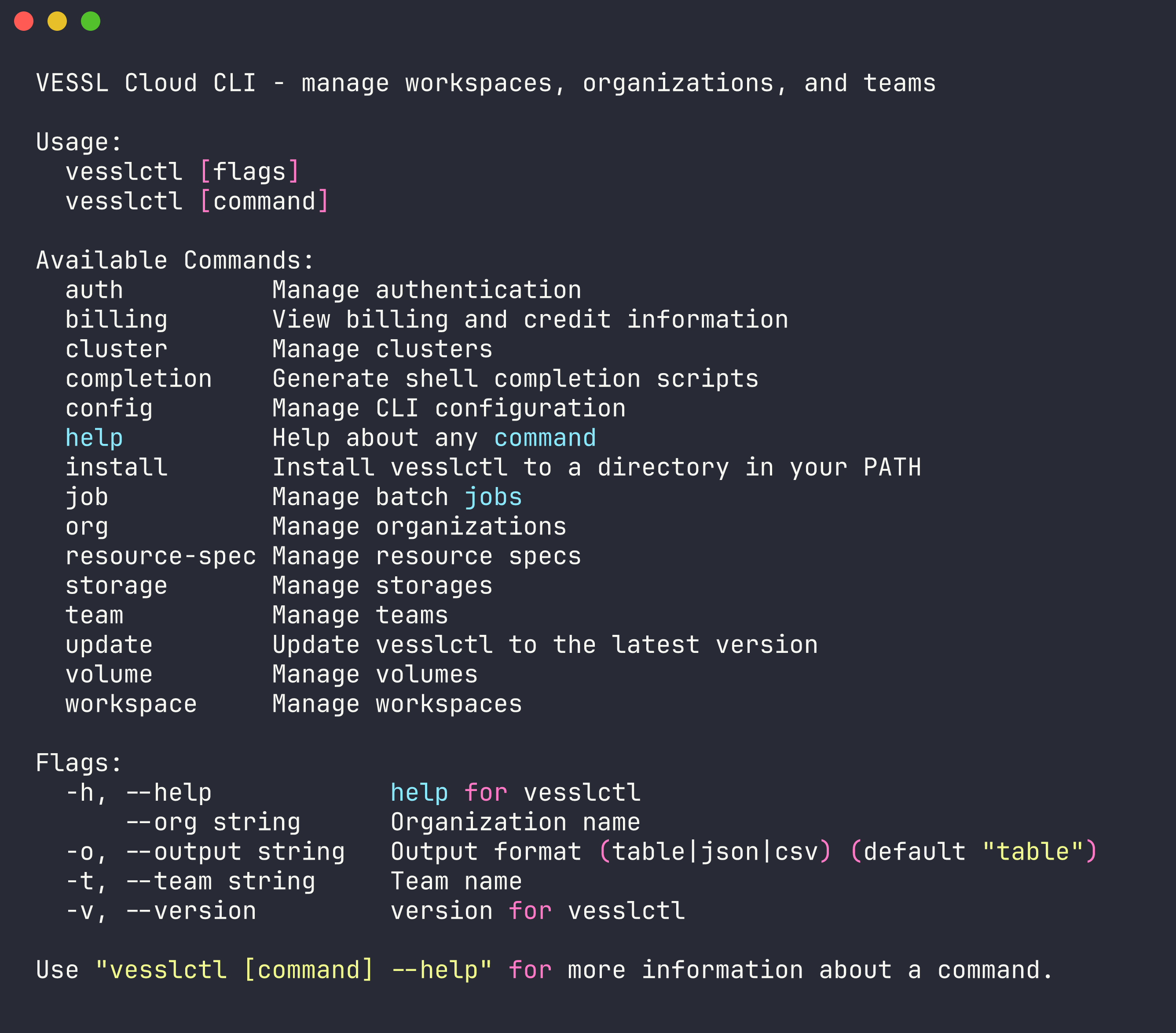
vesslctl is the command-line interface for VESSL Cloud. Manage workspaces, batch jobs, storage, and team settings from your terminal.
Why vesslctl
- Develop and train in one tool: Launch interactive workspaces for development, then submit batch jobs for training, all with the same CLI
- Built for teams: Org and team scoping ensures workloads, volumes, and billing are isolated where they need to be
- Flexible storage: Choose Object storage for cross-cluster access or Cluster storage for high-performance local I/O, and mount volumes into any workload
- AI-native: Connect VESSL Cloud docs to Claude Code, Cursor, or any MCP-compatible tool so your AI assistant references accurate CLI documentation. See Use with AI tools
- Scriptable: Combine commands in shell scripts to build hyperparameter sweeps, data pipelines, or autonomous experiment loops
Installation
Supported platforms — macOS 15+, Ubuntu 20.04+, or Windows 10+. No other environment dependencies.
Log in
Global Flags
Every command supports these flags:| Flag | Short | Description |
|---|---|---|
--org | Override the default organization | |
--team | -t | Override the default team |
--output | -o | Output format: table (default), json, or csv |
Set Defaults
After logging in,vesslctl prompts you to select a default organization and team. You can change them anytime:
Environment variables
vesslctl reads these environment variables. Flags take precedence over env vars, which take precedence over the config file:
| Variable | Description |
|---|---|
VESSLCTL_ORG | Default organization (overrides default_org from config) |
VESSLCTL_TEAM | Default team (overrides default_team from config) |
VESSLCTL_OUTPUT | Default output format: table, json, or csv |
VESSLCTL_API_URL | Override the API endpoint (defaults to the production URL) |
VESSLCTL_ACCESS_TOKEN | Long-lived access token. When set, vesslctl skips the interactive login flow. |
SIDECAR_INITIAL_ACCESS_TOKEN | Auto-injected inside VESSL Cloud workspaces so you can run vesslctl without logging in. Used as a fallback when VESSLCTL_ACCESS_TOKEN is unset. |
Shell Completion
The easiest way to enable tab completion is theinstall subcommand — it detects your shell automatically and writes the script to the right place:
~/.zshrc needs an fpath entry.
Manual setup
Manual setup
If you prefer to manage completion scripts yourself:
Update
Keepvesslctl up to date:
Command Overview
| Command | Description |
|---|---|
workspace | Manage GPU workspaces (create, SSH, pause, terminate) |
job | Submit and manage batch jobs |
volume | Manage storage volumes |
storage | List and inspect storage backends |
org | Switch and manage organizations |
team | Switch and manage teams |
cluster | List available clusters |
resource-spec | List GPU/CPU resource configurations (alias: rs) |
tag | Create, list, and attach tags to jobs |
skill | Install vesslctl skills for AI coding agents |
config | Manage CLI configuration |
auth | Log in, log out, check auth status |
billing | View credit balance and burn rate |
completion | Shell tab completion — install for auto-setup, or generate scripts manually for bash, zsh, fish, or PowerShell |
update | Update vesslctl to the latest version |
install | Install vesslctl to a directory in your PATH |